
A work order is the unit of work.
Work order executionA work order is the unit of work on a boat. Not a task, not a reminder — a job, with a number, a scope, a vendor, a cost and an outcome. It is the thing you say out loud on the phone to a yard, and the thing somebody reads two years later trying to understand what happened. Most software treats it as a to-do with a due date. It is not.
The whole flow, end to end
1 — Four ways a job starts
Work does not arrive through one door, so theONE does not pretend it does. Every origin lands in the same place and keeps its provenance.
- From a jot. You noticed something. Two seconds, one line, maybe a photo — captured before the thought evaporated. Later, or right at capture, it is promoted into a maintenance job with the system it belongs to. The original jot stays in the inbox with an audit trail of where it went.
- From an observation. A watch item that has stopped being a watch item. It promotes into an issue, carrying its severity, its photos and its history, and the observation is archived with a link rather than deleted — so the chain from "noticed" to "fixed" is one continuous record.
- From a service interval. The genset hits 500 hours, or the liferaft recert date arrives. The schedule raises the job.
- Typed in directly. Sometimes you just know. No ceremony required.
From scratch
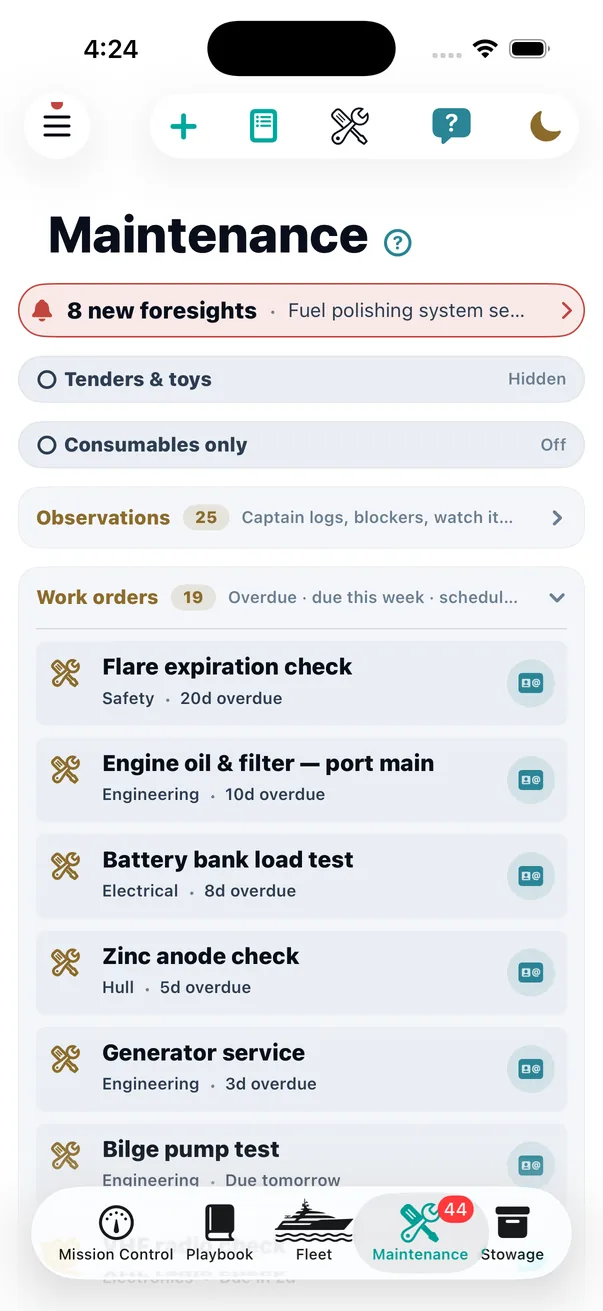
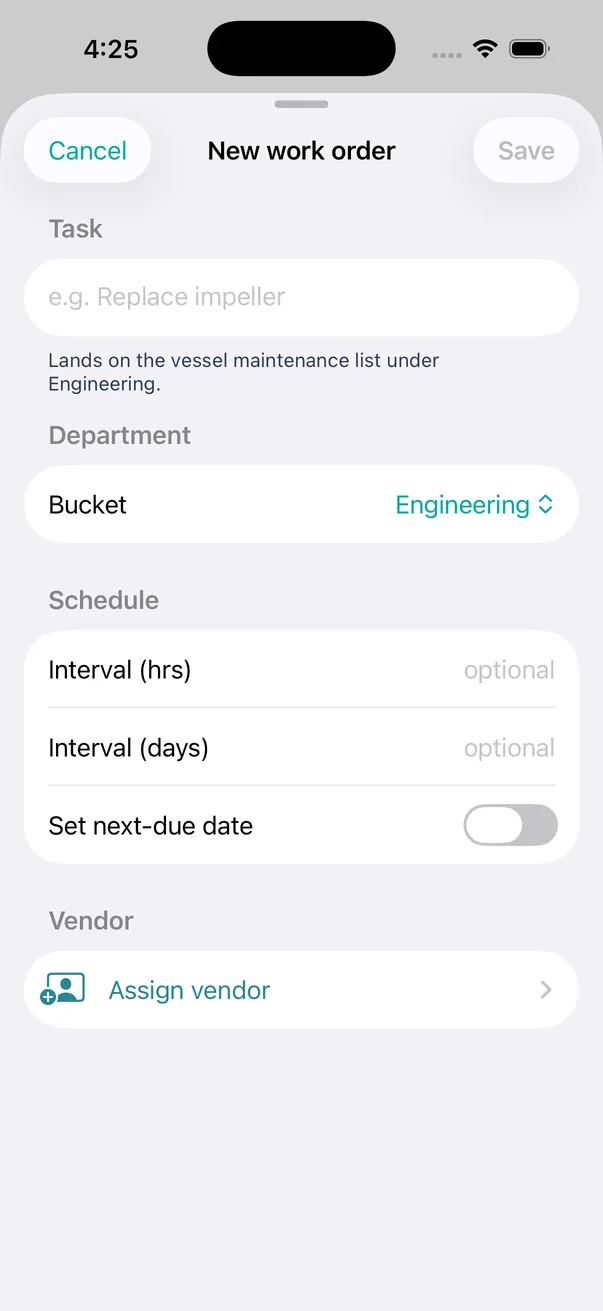
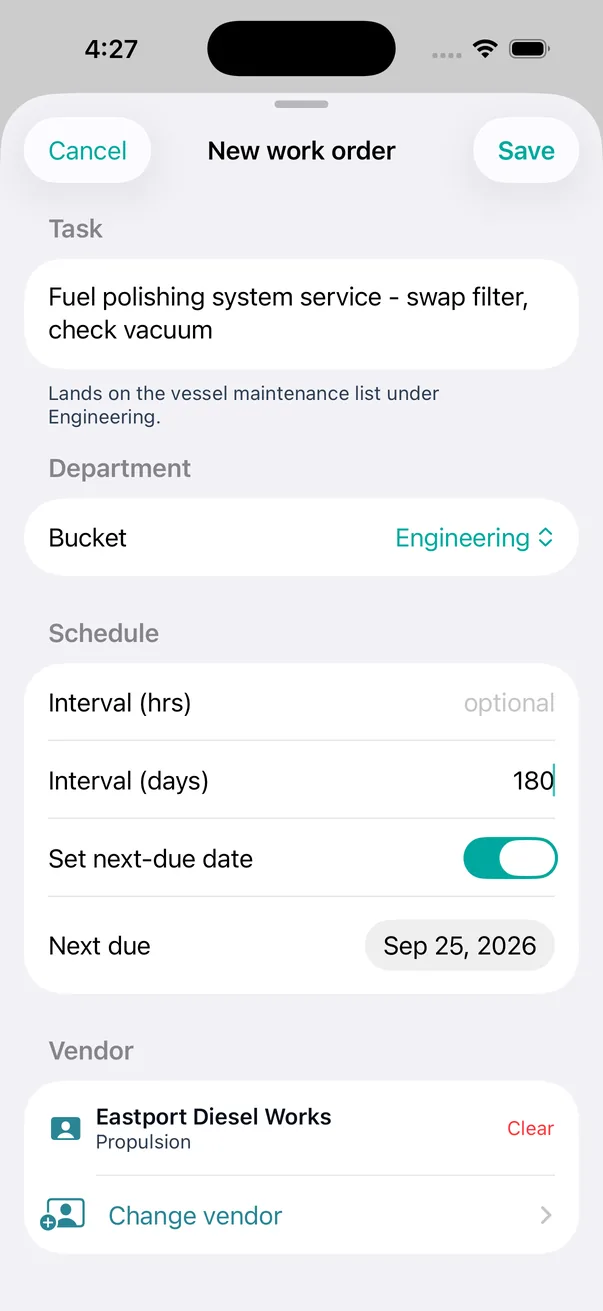
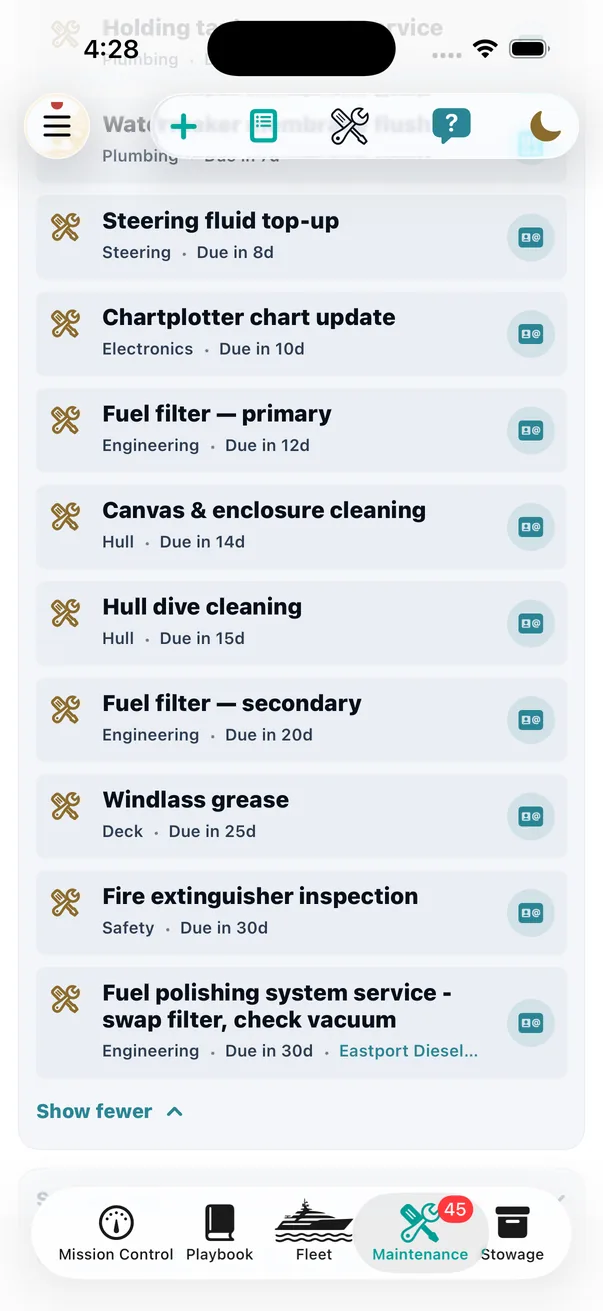
Captured on a real build against seeded vessel data, not mocked up.
From an observation
Somebody noticed the genset was tripping. That observation carried a real description, a severity and a system — and none of it should have to be retyped to turn it into a job.
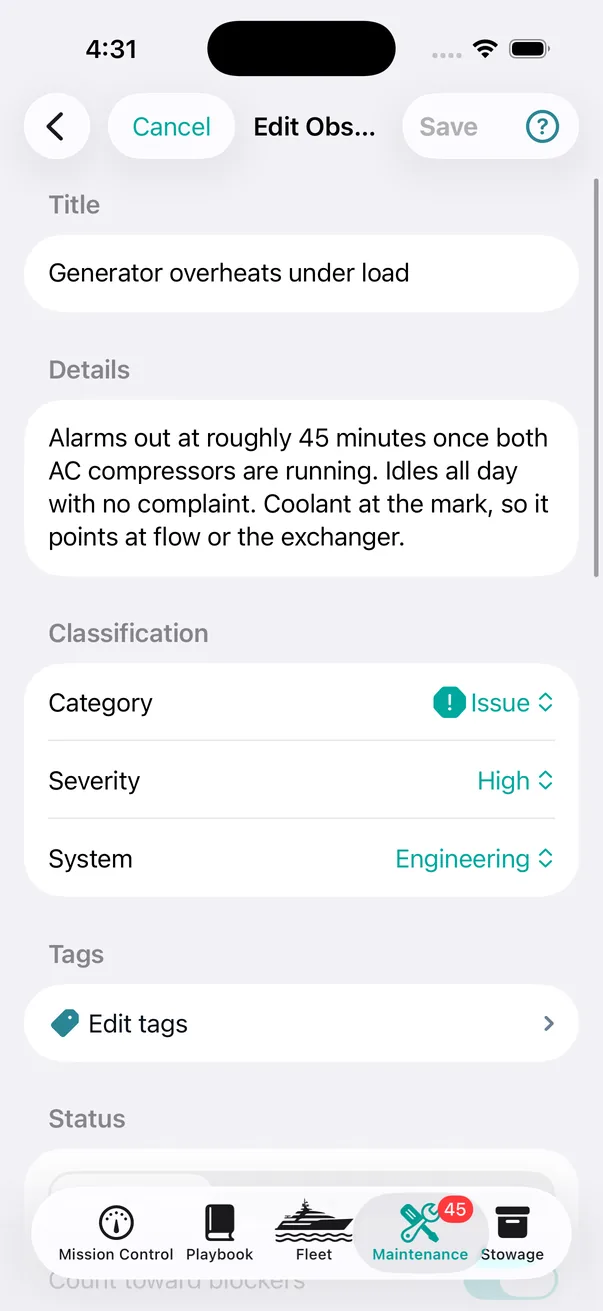
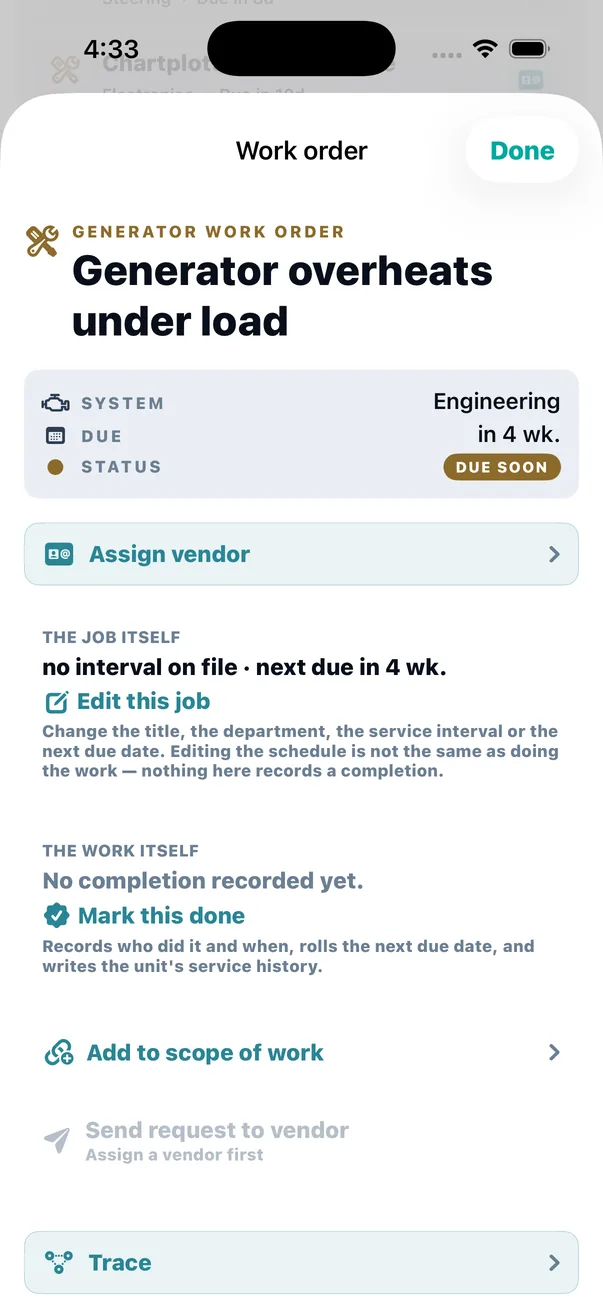
The escalation door sits on the observation itself, and it pre-fills the job from what is already recorded — the title, the department, and the specific system it concerns. Nothing gets retyped, which is the only reason anybody does it at the moment they notice rather than a week later. In the list it is one gesture: drag an observation to the right for Work order, or press and hold it for Create work order.
From a jot
Somebody wrote one line while they were standing there. Later, at the saloon table, it becomes the thing it should have been — and the jot keeps a chip pointing at whatever it turned into, so nothing detaches from where it came from.
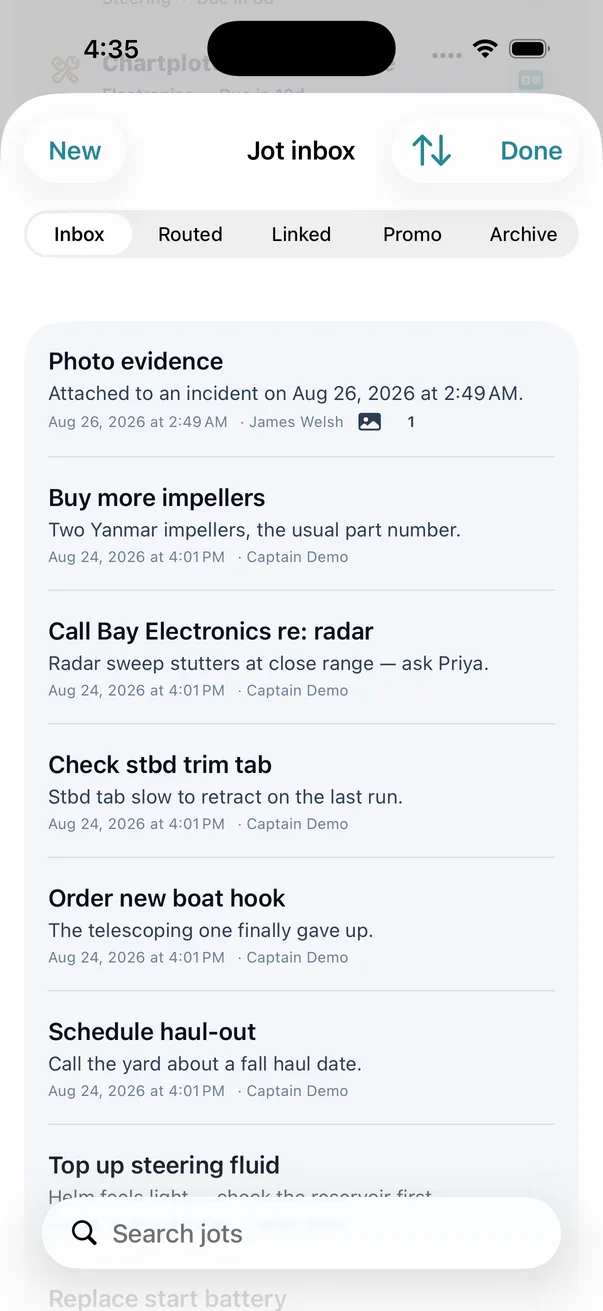
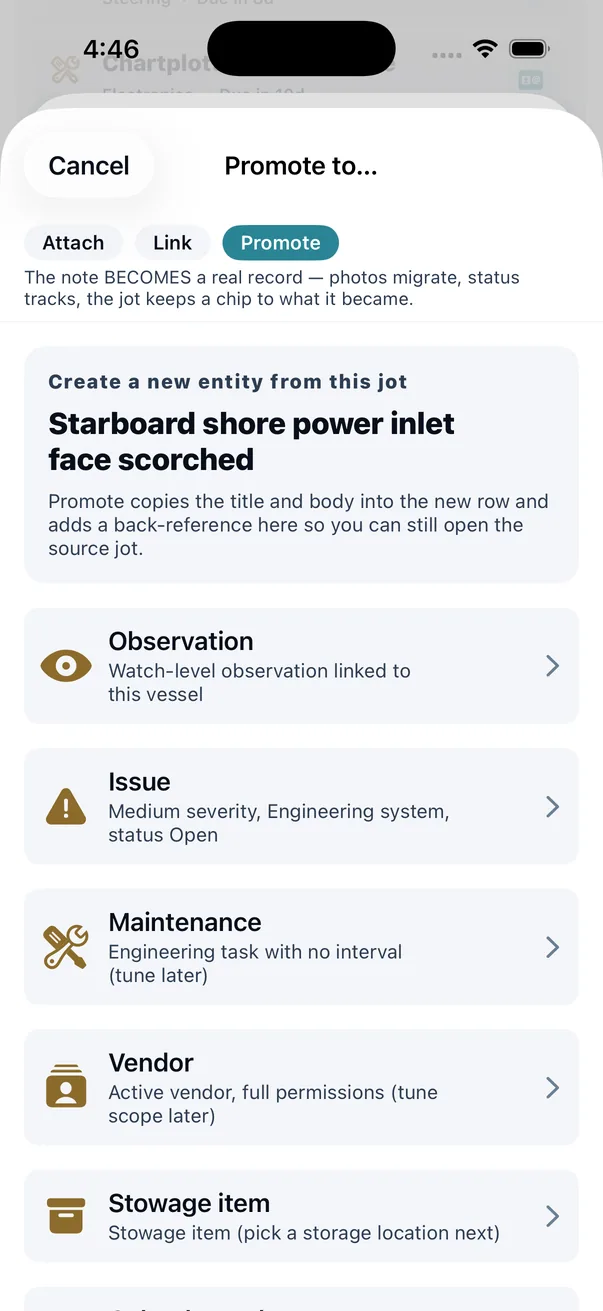
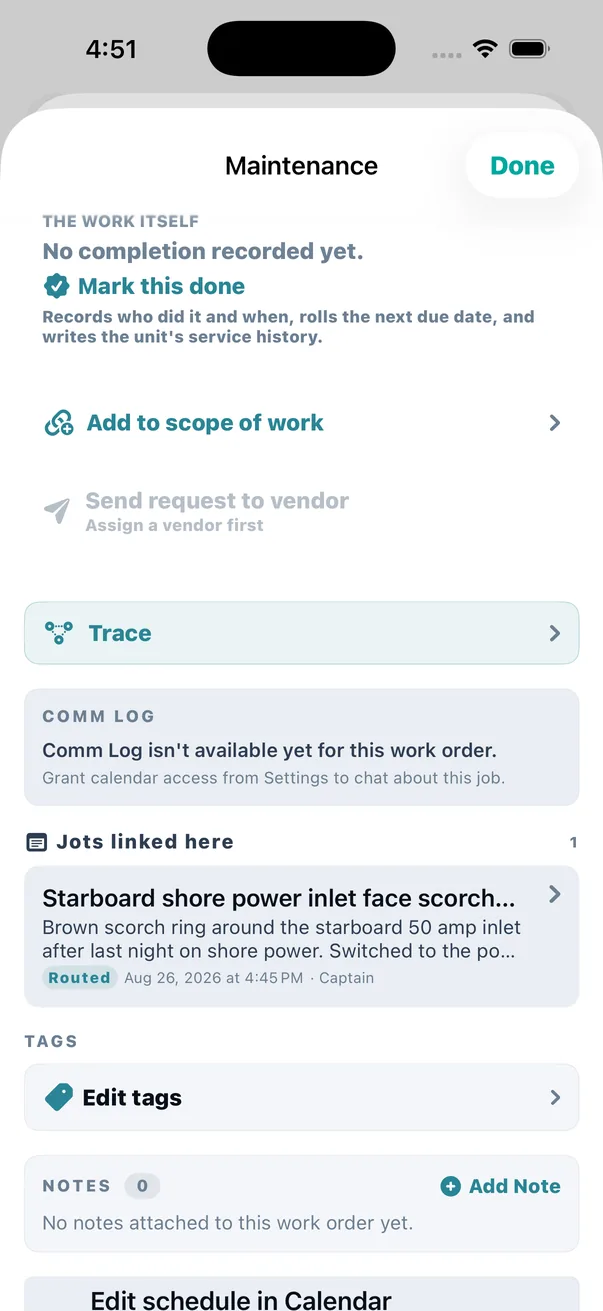
Note that promoting is one of three verbs, not the only one. Attach hangs the jot on a record as evidence. Link cross-references it. Promote turns it into a record in its own right. They are genuinely different intentions and collapsing them into a single “convert” button is how a capture inbox turns into a graveyard.
2 — Doing it, and recording that you did
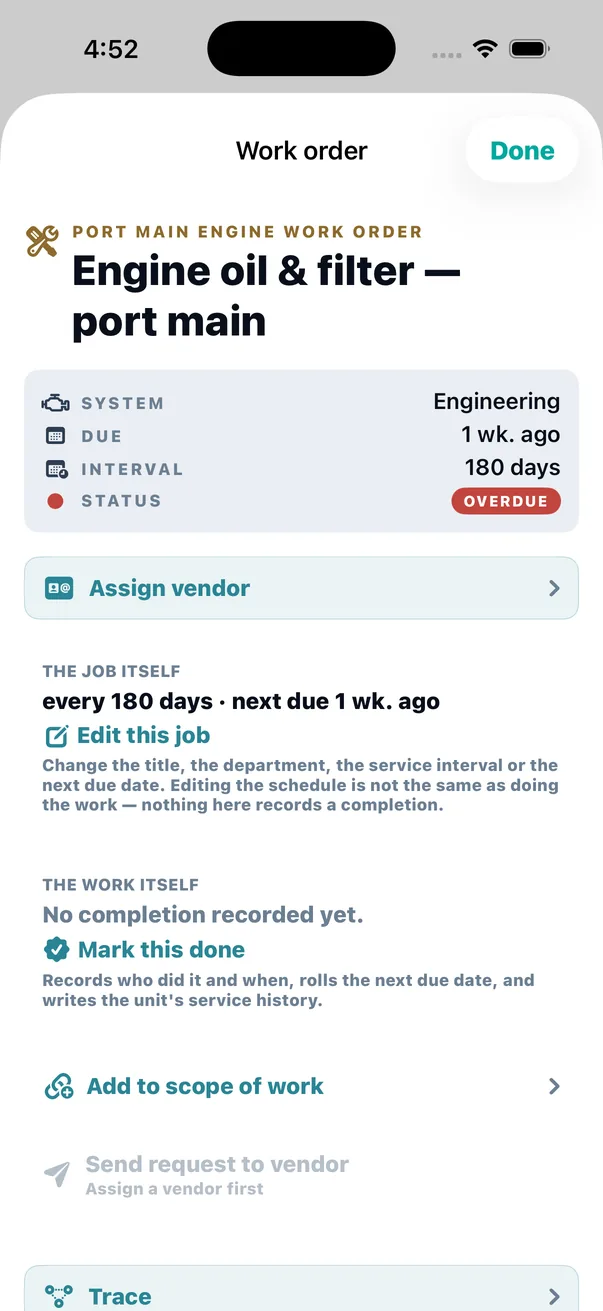
The distinction the whole page turns on is visible on every work order in the app, as two headings that never overlap.
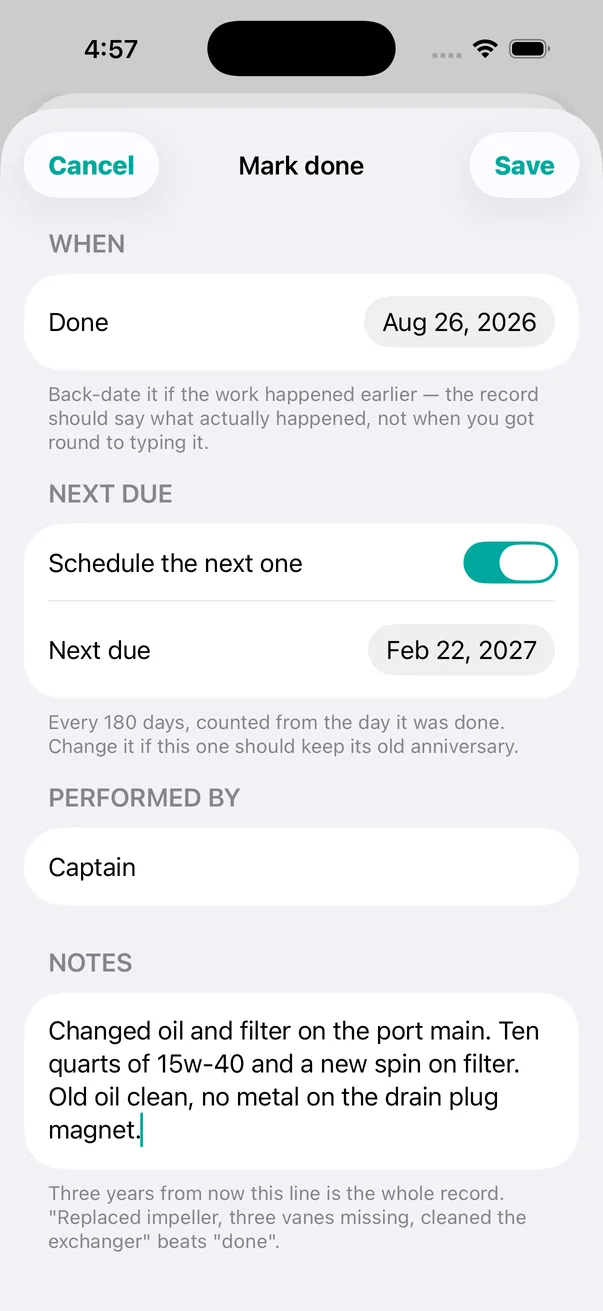
The helper text under the notes field is the app arguing with you, in its own words: “Three years from now this line is the whole record. Replaced impeller, three vanes missing, cleaned the exchanger beats done.”
Under The work order sits the schedule — the title, the department, the interval, the next due date. All of it editable, because a schedule that cannot be corrected gets corrected by lying: somebody marks work complete in order to move a date, and the record the system exists to keep is now false.
The work itself is separate, and reads no completion recorded yet until a person says otherwise. Marking done captures who did it and when — back-dated to when it actually happened, not when somebody got round to typing it — rolls the next due date forward, and writes it into that unit's service history.
Editing the schedule is not the same as doing the work. theONE will not let one quietly stand in for the other.
3 — A work order holds a scope, not a task
This is the structural difference. A work order carries a scope — a set of items that are going to the yard together. That is how boat work actually happens: the mechanic is coming Thursday, so the pump, the genset service and the trim tab all go on the same visit.
Items can be added to the scope after the job exists, because that is also how boat work happens. You find the third thing while they are already aboard.
4 — The number
Every work order that goes to a vendor takes a human-readable business number — WO-2026-0042. Not an internal database id. A number you can say on the phone, put in an email subject line, and match against the yard's own board six months later.
- Assigned once, and never changed. A number that moves is worse than no number.
- Spent only on real jobs. The number is taken when a job is actually being sent to a vendor, so the sequence stays meaningful instead of counting every routine row on the schedule.
- Per vessel, per year, derived rather than counted. The next number comes from the highest number already on the books — not from a stored counter that can drift out of step with the data or collide after a restore.
5 — Sending it, and sending the additional work
Here is a small bug that turned into one of the more useful things in the system.
Send two items to the yard. Find a third. Send again. The obvious implementation re-lists the entire scope under the heading "additional items for this work order" — and the yard receives three items presented as new, two of which are already on their board. They either do the work twice or ring you to ask which half is real. A wrong message to a vendor, produced by the feature built to stop wrong messages to vendors.
So theONE records the scope as of the last successful send, separately from the scope as it stands now.
Everything in the current scope that is not in the sent scope has genuinely never gone out. The additional-work email lists exactly that and nothing else. And because only an actual send writes that record — the number is assigned when the composer opens, since it has to appear inside the email being written — a composer you opened and then cancelled does not turn your next request into a confusing "additional work" message.
6 — Closing it out: two judgements, kept apart
When the job is done there are two entirely different questions, and almost every system collapses them into one field called "status".
Is the fault actually gone?
Fixed and verified is not the same record as fixed but not re-tested, and neither is the same as worked around. A zip-tie that got you home is a legitimate outcome and an honest one — and it recurs more often, which is why Foresight tells it apart from a fix. The resolution kind is about the boat.
Was the vendor's work good?
Separate question, separate field, and deliberately binary. Satisfactory or not. A three-point scale invites a shrug in the middle, and a shrug is worth nothing to whoever reads this next season.
The rule that makes it useful is what it explicitly does not measure: timeliness is never scored here. A yard that came late and did excellent work is satisfactory. One that came on time and botched it is not. Schedule complaints belong somewhere else; mixing them in is exactly how vendor history degrades into a general mood. The note field carries the nuance.
7 — What the vendor found
Often the most valuable line in the whole record is not the observation that started the job. It is what the mechanic found once he opened it up — the only account of what was actually wrong.
theONE records it under a specific attribution rule: attributed to the vendor, with the captain as scribe. The words belong to the vendor; the keystrokes may be the captain's, because the vendor is often not a theONE user. Both are recorded and both are shown. A finding presented as the captain's own opinion, or presented as though the vendor typed it himself, would each be a small lie inside a record people rely on years later. When the vendor does enter it themselves, they are the scribe.
Alongside the findings, a job carries a Comm Log — a thread of dated, attributed posts about this one thing. It is where the reasoning goes: the sentence that explains why the decision was what it was, sitting on the record it explains rather than in somebody's text messages.
8 — Then it stops being a job and becomes history
A completed work order stays on the record — with its photos, its costs, its findings and its links intact. It is what the vendor's card draws on, what the Insurance Export draws on, and what Foresight draws on. Closing a job does not throw anything away.
Archiving a row is a separate, deliberate act rather than something completion does for you, and deleting is still possible — on purpose. A record system that makes deletion impossible gets worked around; one that makes it the awkward second choice gets used properly.
And it lands where somebody will actually find it: on the unit. Not filed under maintenance somewhere, but on the port main engine's own screen, under its interval and its hours.
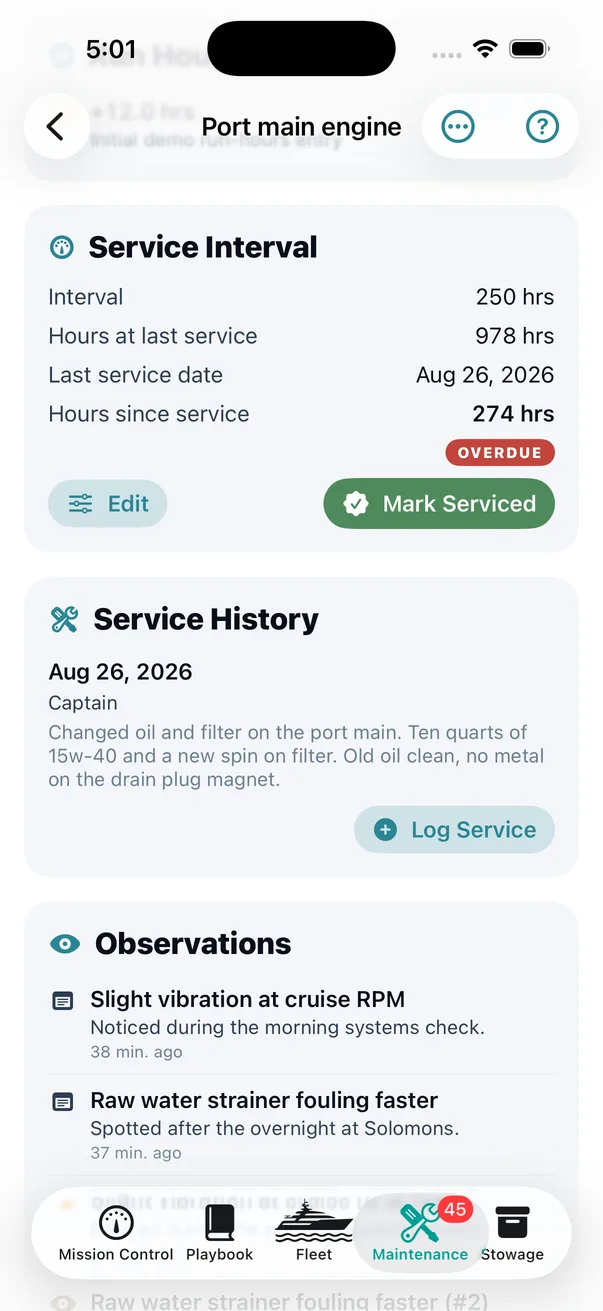
Also on that screen, unprompted: the open observations against this unit — slight vibration at cruise RPM, raw water strainer fouling faster. Somebody deciding what to do about the port main is looking at its service history and its live complaints on one page, which is the entire argument for tracking a boat by system rather than by category.
One detail worth calling out, because it is the kind of thing that quietly makes a system untrustworthy: urgency is computed live from the due date, not read from a status field written the last time the row was saved. A stored status goes stale the moment a date passes. Two surfaces reading two different definitions of "overdue" is how a captain learns to stop believing the numbers.
In the Help Center
Honest about the edges
Editing a job is allowed, on purpose. Rename it, fix the interval, push a recert out two weeks. The alternative — which is what rigid systems force — is falsely marking work complete in order to move a date, and that corrupts the exact record the system exists to keep.
theONE does not talk to your yard's system. A work order goes out as an email a human reads. There is no integration, no portal, no assumption about what software the yard runs. That is a limitation and also the reason it works with every yard.
"Done" is entered by a person. Nothing here verifies that the impeller was changed. What the record gives you is who said so, when, what they found, what it cost, and whether it was re-tested — which is what an honest record can offer and no more.
Why this is the centre of the app
Because everything else feeds it or reads it. A jot becomes a work order. An observation becomes a work order. An hour reading raises one. Foresight is built from how they close. The Insurance Export is a rendering of them. The vendor's reputation is the sum of them. Get the work order wrong and the rest of the record is decoration.