
Every document, on the boat, in your hand.
Every document, on the boat, in your handAsk a captain where the insurance certificate is and you will usually get a location, a qualifier and an apology. It is in the binder in the pilothouse, unless it was the old one, in which case the current one is in an email somewhere. Paperwork is not a hard problem. It is an everywhere problem.
Three places, none of them the right one
The binder aboard is authoritative and out of date. The drawer at home is complete and 90 miles away. The inbox has the current one and no way to find it. So the working answer becomes a photo roll of documents on a phone: three thousand images, no names, no dates, and no way to know which registration is the live one.
A document you cannot find at the moment somebody asks for it is functionally a document you do not have.
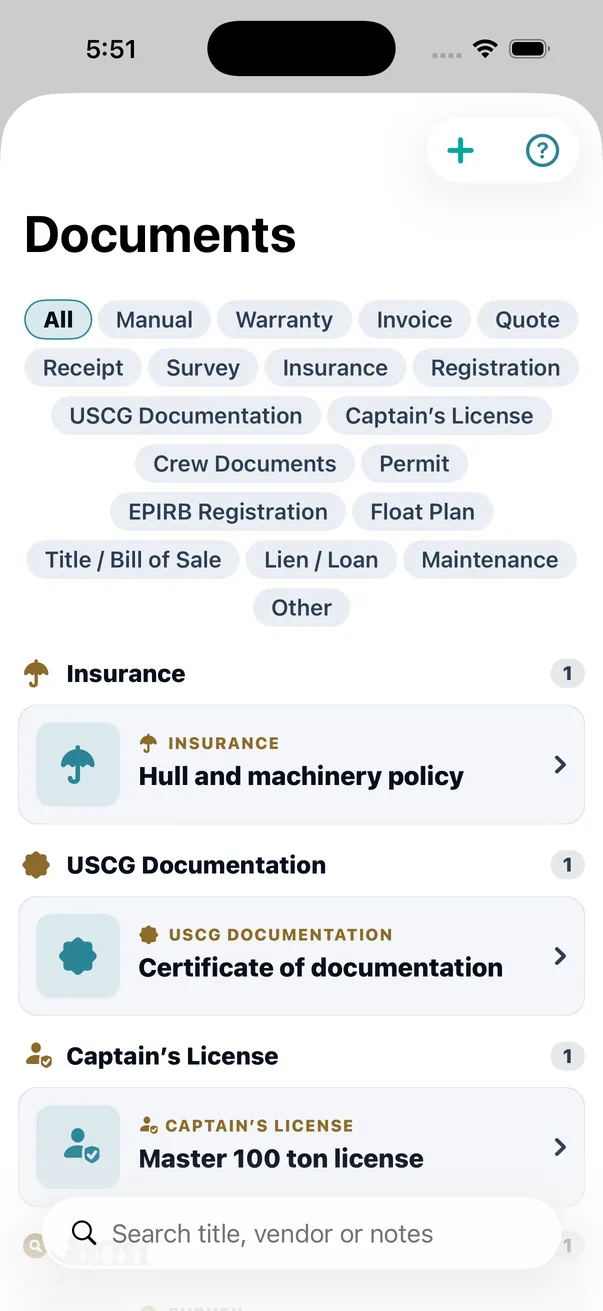
Scanning that refuses to be confidently wrong
Point the camera at a page and theONE checks it, reads it, works out what it is, and files it. The principle all the way through is the opposite of what most scanning software does: theONE would rather ask you a question than write down a guess.
The door itself is deliberately plain about the difference between taking a picture of a document and scanning one — because those produce very different things, and most apps blur the two.
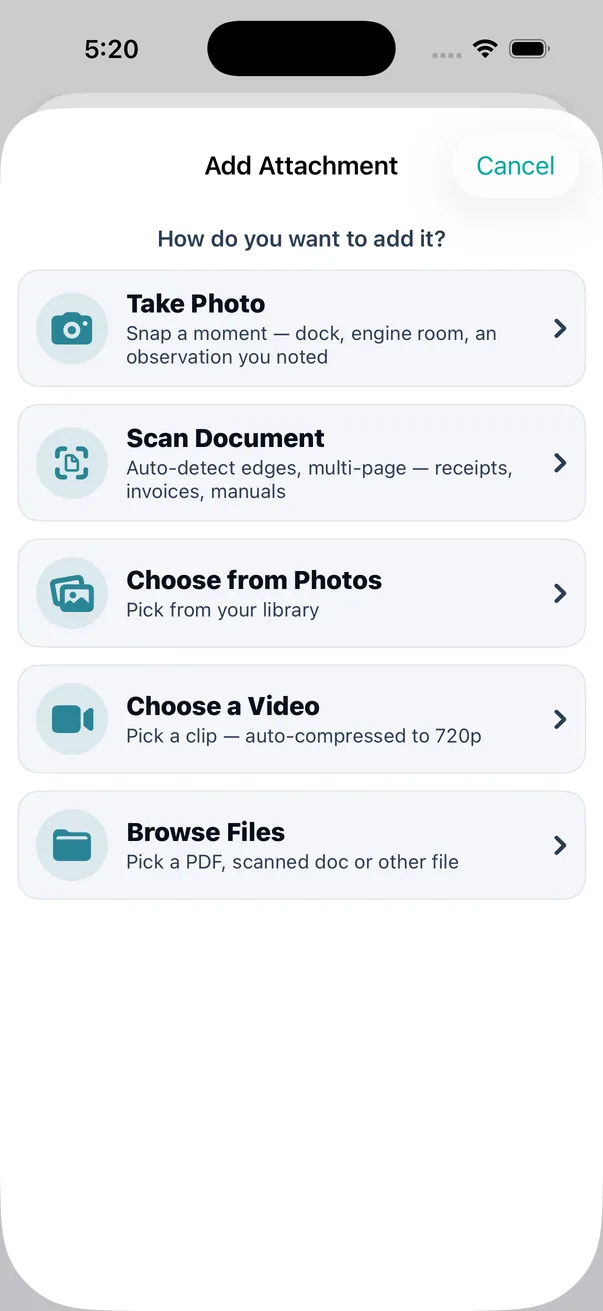
A bad page is flagged before you rely on it
The single largest cause of a bad scan is a bad capture. Apple's scanner corrects perspective and lighting, but it will happily hand back a page that is blurry, glared, skewed or under-resolved — and a text recogniser fed a blurry page does not fail, it hallucinates confidently. So every page is checked for resolution, blur and glare before the expensive work starts. A page that falls short raises a warning before you are shown a result you might believe. You can still keep it. Nothing is silently discarded — but you are told first.
Read it, and keep the text
OCR runs on the device and the recognised text is built back into a searchable PDF. That matters more than it sounds: the text layer travels inside the file. Export it, email it to a surveyor, open it on a laptop two years from now — it is still a document you can search, not a picture of one.
Inside theONE, the global search bar finds documents by title, category, vendor, notes and expiry year. That is a deliberate line: the body text of every scan is in the files, and searching across all of it from the app's search bar is not something theONE does today.
Know what it actually is
theONE works out what kind of document it is and says how sure it is. This exists to catch one specific, quiet, expensive failure: you tap "Insurance" and then scan the USCG documentation. Without a check, that becomes silent data poisoning. With it, it becomes a one-tap correction.
And when two answers are close, it does not pick a winner. An insurance policy with a certificate on the front page is genuinely ambiguous, and the honest output for an ambiguous input is a question.
Write almost nothing automatically
A value read from a scan is written into your vessel record only when the field is empty, theONE is sure of what it read, the value is the right kind of value (a HIN has to pass a real HIN check), and something else on the page backs it up. Short of that, it waits for you.
Everything that does not clear that bar goes to a review pile you confirm with a tap. A value you typed yourself is never overwritten by a scan. Ever. That is a rule in the engine, not a preference in a settings screen.
Not everything arrives as paper
Most invoices now turn up as a PDF in an email. Photographing a screen to get it into a boat app is absurd, so theONE takes the file directly and runs it into the same record.
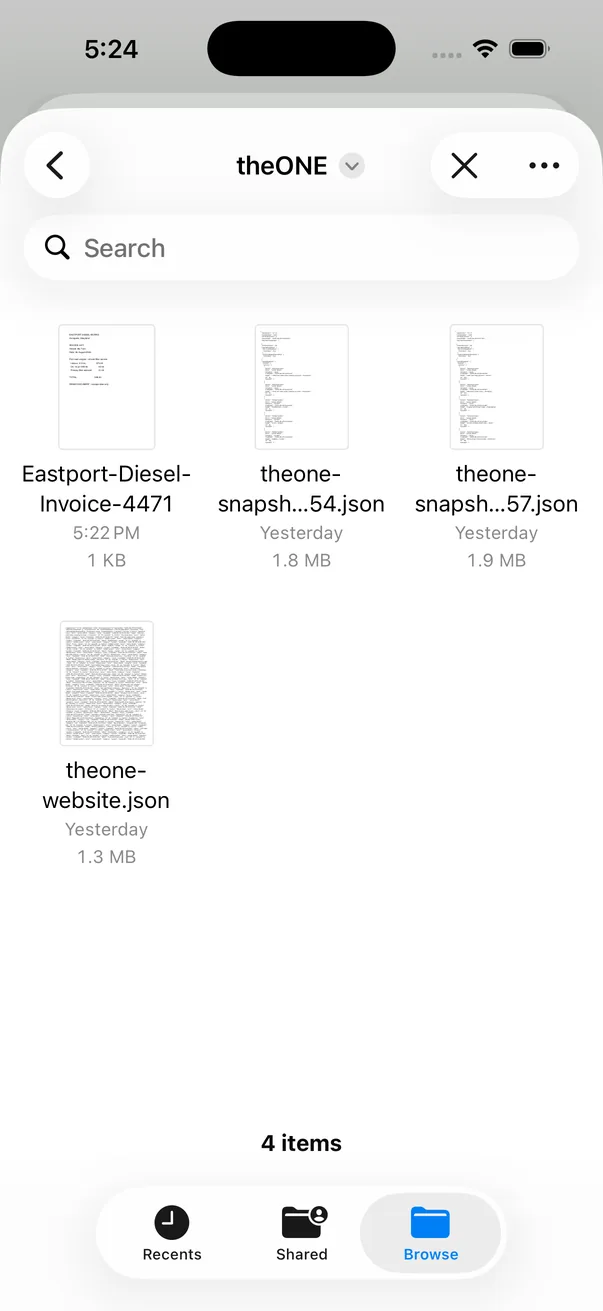
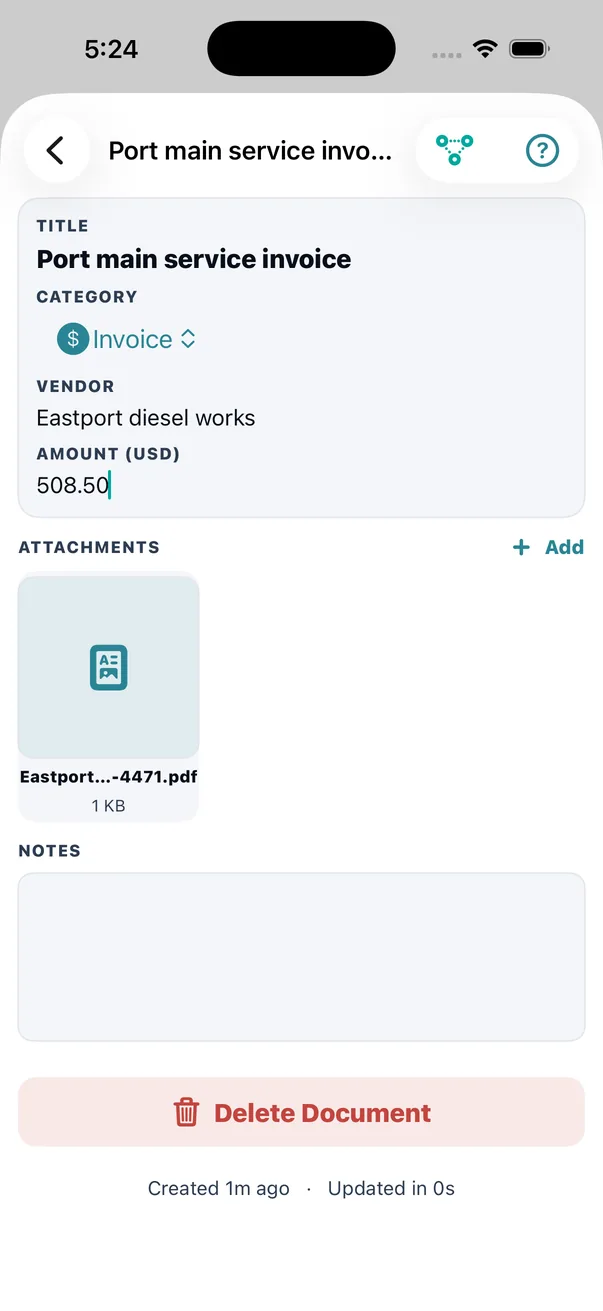
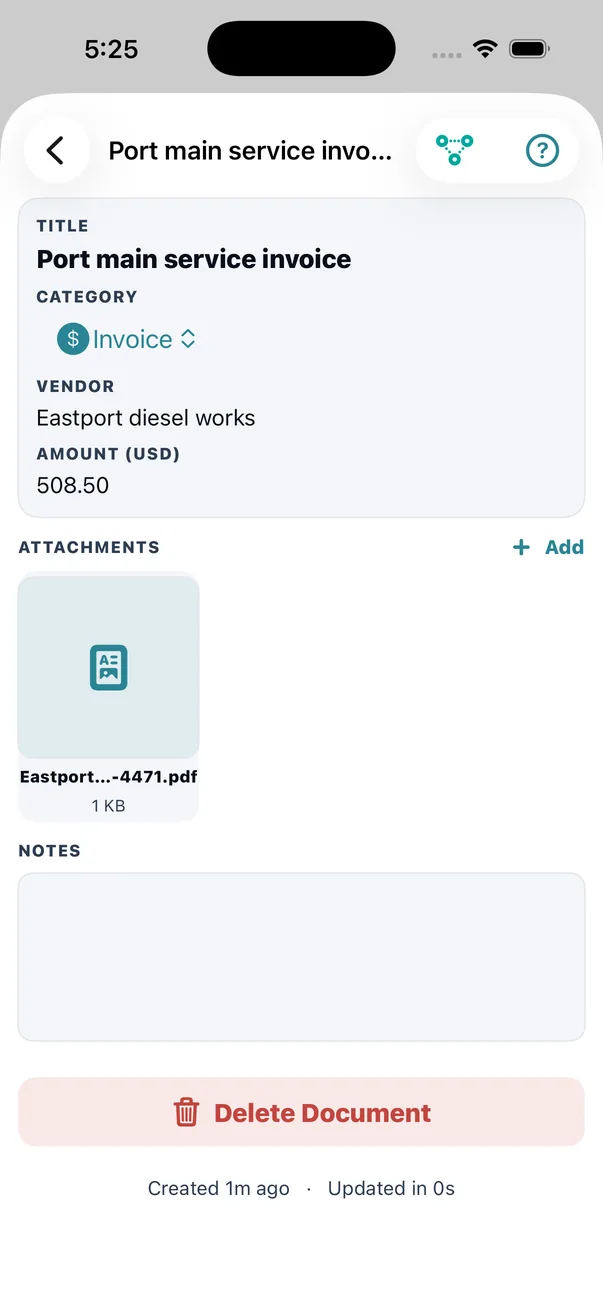
Note what is stored: the parsed fields and the original. The amount is a number you can total; the PDF underneath it is what you show somebody who wants to see the invoice. Neither replaces the other.
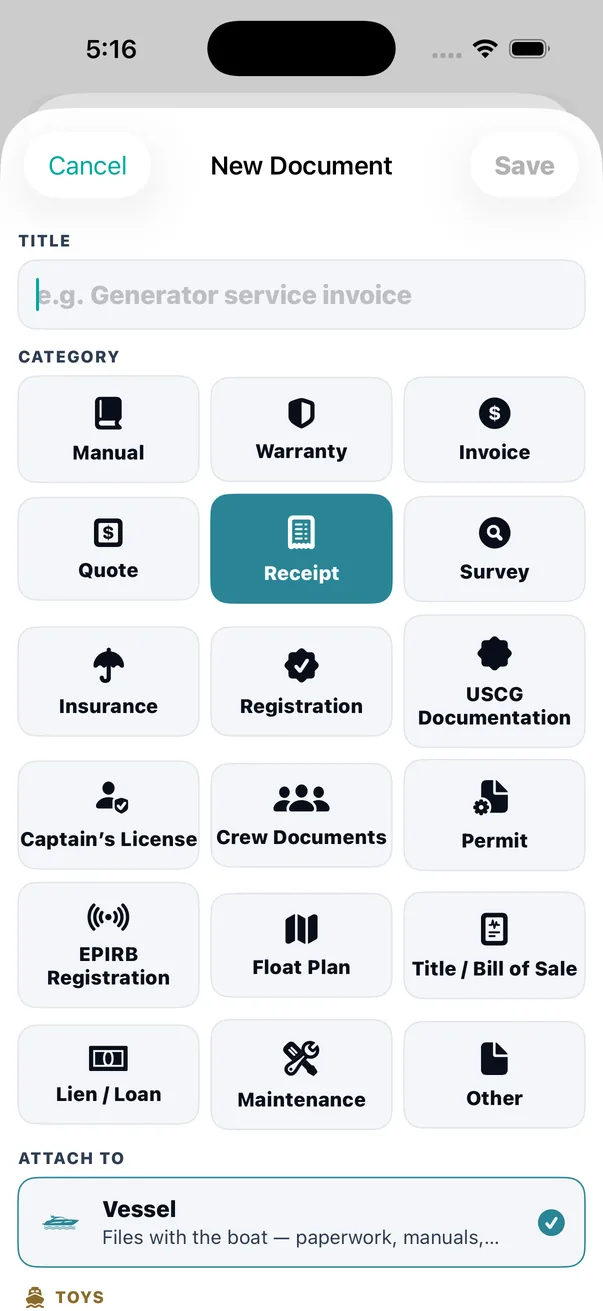
Eighteen categories, because filing by "documents" is not filing
| Group | Categories | Why it earns its own bucket |
|---|---|---|
| Identity | USCG Documentation, Registration, Title / Bill of Sale, Lien / Loan | The papers that prove the boat is the boat and that she is yours. These are the ones a boarding officer or a buyer asks for. |
| Cover | Insurance, Survey, Warranty | Renewal-driven and claim-driven. The survey is what the underwriter reads; the warranty is what saves you a bill. |
| People | Captain’s License, Crew Documents, Permit | MMC, OUPV, STCW, TWIC, medical certificates — every one of them expires, and none of them expire on the same day. |
| Money | Invoice, Quote, Receipt | A quote is a pre-decision; an invoice is money owed; a receipt is proof paid. Collapsing the three is how boat spending becomes unknowable. |
| The boat | Manual, Maintenance | The owner’s manual you need at 2am, and the mechanic’s write-up of what he actually found. |
| Safety & passage | EPIRB Registration, Float Plan | The EPIRB registration renews on a federal two-year cycle. The float plan is per-trip, and it belongs with the trip. |
Plus Other, so the picker never has to reject something, and so nothing gets mis-filed just to make it fit.
Expiry, on the six rungs it actually has
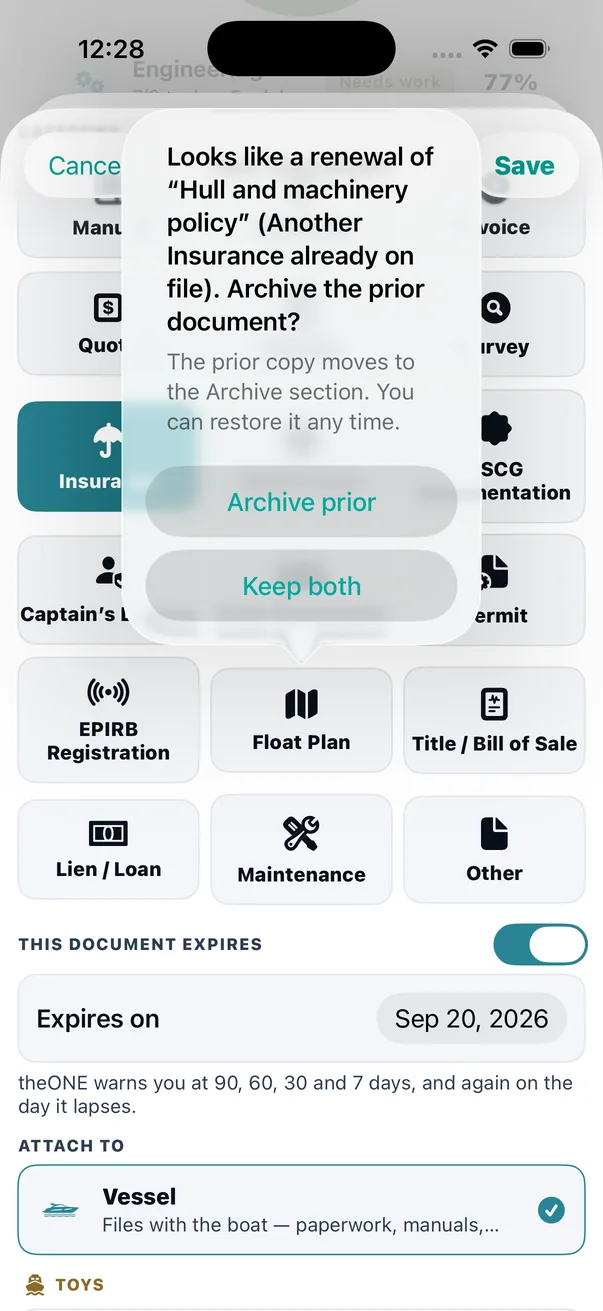
An expiry date is not a boolean. theONE computes one shared status per document and every surface reads from it — the row pill, the Today tile, the briefing block, the notifier — so nothing can ever disagree with anything else about how urgent something is.
- 90 days — USCG only. Federal renewals are slow, so Certificates of Documentation get their own early rung. Nobody else gets a 90-day warning, because for everything else it is just noise.
- 60 days — yellow. 30 days — orange. 7 days — red.
- Expired — red, with the title struck through, because an expired certificate that looks like a valid one is worse than no certificate at all.
- Current, and no expiry set, both render nothing. A healthy row does not need a green dot; clutter is how people learn to ignore pills.
Renewals that know what they replace
Scan this year's insurance certificate and theONE works out what it renews by matching the boat's and the policy's identifying numbers against what you already hold. If it finds a match, it tells you which prior document and why it thinks so, in a sentence you can read: Same policy number.
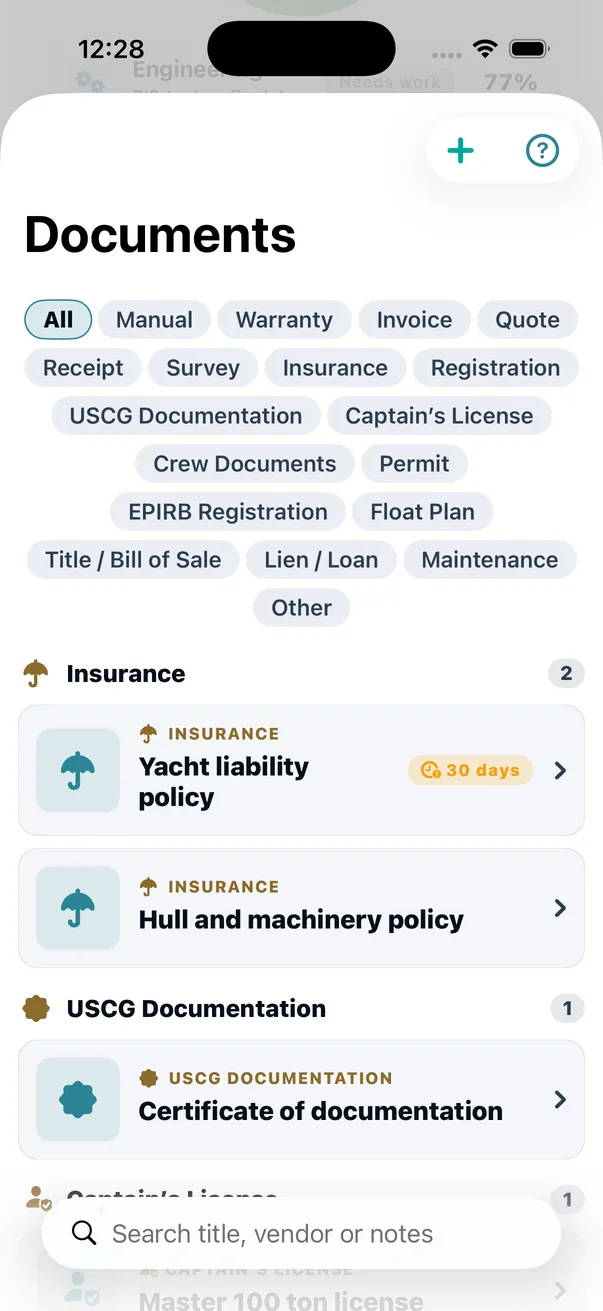
Then it offers to archive the one it replaces — but only when the new document's issue date or expiry date is genuinely later than the prior one's. The two are linked in both directions, so the chain reads forward and backward. Nothing is deleted. Last year's policy is still there, still readable, still attached, marked as superseded. When a claim turns on which policy was in force in March, that is the whole question.
Filed against the right thing
A document does not just belong to "the boat". It belongs to the vessel, or to a specific tender or toy, or to an individual system unit — the port engine rather than "engines". theONE proposes the target, the category and a confidence, along with the reason: HIN matched the vessel, or Name matched Tender: Williams 395. High confidence files it and says so; low confidence asks. The rationale is always visible, so the assignment is something you can check rather than something you have to trust.
Documents attach from anywhere the app already is — a work order, an incident, an observation, a fuel entry, a jot — and photos, PDFs, Office files and video all go in the same vault, previewed with QuickLook.
In the Help Center
Honest about the edges
OCR is very good and not perfect. A faded thermal receipt or a heavily stamped survey will produce imperfect text. That is exactly why the review pile and the "never overwrite what you typed" rule exist — scanning is built on the assumption that it will sometimes be wrong.
theONE is not the issuing authority. A scan of a certificate is a copy of a certificate. Carry originals where regulation requires originals, and treat expiry pills as a reminder to renew, not as evidence that you did.
It is not clairvoyant. Working out what a document is runs on your phone, offline — no server, no learning from your documents. That is a deliberate trade: it will hand back "uncertain" more often than a cloud service would, and it will never send your paperwork anywhere to get a better answer.
Categories are opinionated on purpose. Eighteen buckets is a judgement about how boat paperwork actually divides. If yours divides differently, Other is not a failure state.
An expiry is only as good as the date you gave it. theONE reads a date off an insurance certificate when it can and shows you what it read before filing, but it does not verify that date against the issuer. Check it once, on the way in — the whole ladder above is built on it.
Why this earns a whole subsystem
Because paperwork is the one part of running a boat where the cost is never in the work — it is in the ten minutes at the fuel dock, the survey that has to be redone because the last one cannot be found, the claim that turns on a policy nobody kept. Filing is boring right up until the moment it is the only thing that matters, and by then it is too late to start.